No 'git' executable was found. Please install Git on your system then restart Unity and Unity Hub
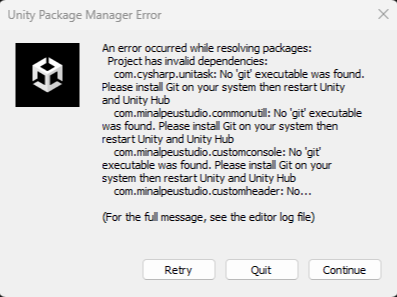
해당 문제는 UniTask 패키지를 가져오는 과정에서 Git 을 찾지 못해서 발생한 이슈이다.
반응형
< 해결 방법 >
Git 설치하기 : [다운로드 링크]
Git - Downloads
Downloads macOS Windows Linux/Unix Older releases are available and the Git source repository is on GitHub. Latest source Release 2.51.0 Release Notes (2025-08-18) Download Source Code GUI Clients Git comes with built-in GUI tools (git-gui, gitk), but ther
git-scm.com
Git 을 설치하고 (기본값으로 Add Git to Path) 환경설정을 확인하자
< 설치 확인 >
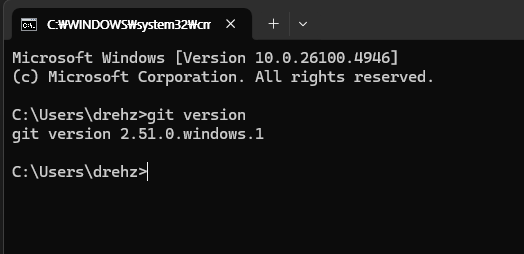
CMD 명령으로
git version으로 설치된 Git Version을 확인한다.
< 환경 변수 확인 >
시스템 속성 - 환경변수- 고급 - 시스템 변수- Path 선택
해당 경로 추가
C:\Program Files\Git\bin
C:\Program Files\Git\cmd

★★★☆☆
반응형


댓글